Asset Browser for Aseprite
A downloadable tool
A simple tool for quickly adding sprites into a scene. An extension for Aseprite.
The problem I've found in pixel art is sometimes it is just too hard to view the thumbnails in a system file explorer or image viewer. Either images are too small or blurry. I've tried many solutions but nothing has worked as well as this native Aseprite solution.
Another problem I've found when you drag an image into Aseprite, it opens in a new tab and then you have to copy and paste it into the scene you are working in.
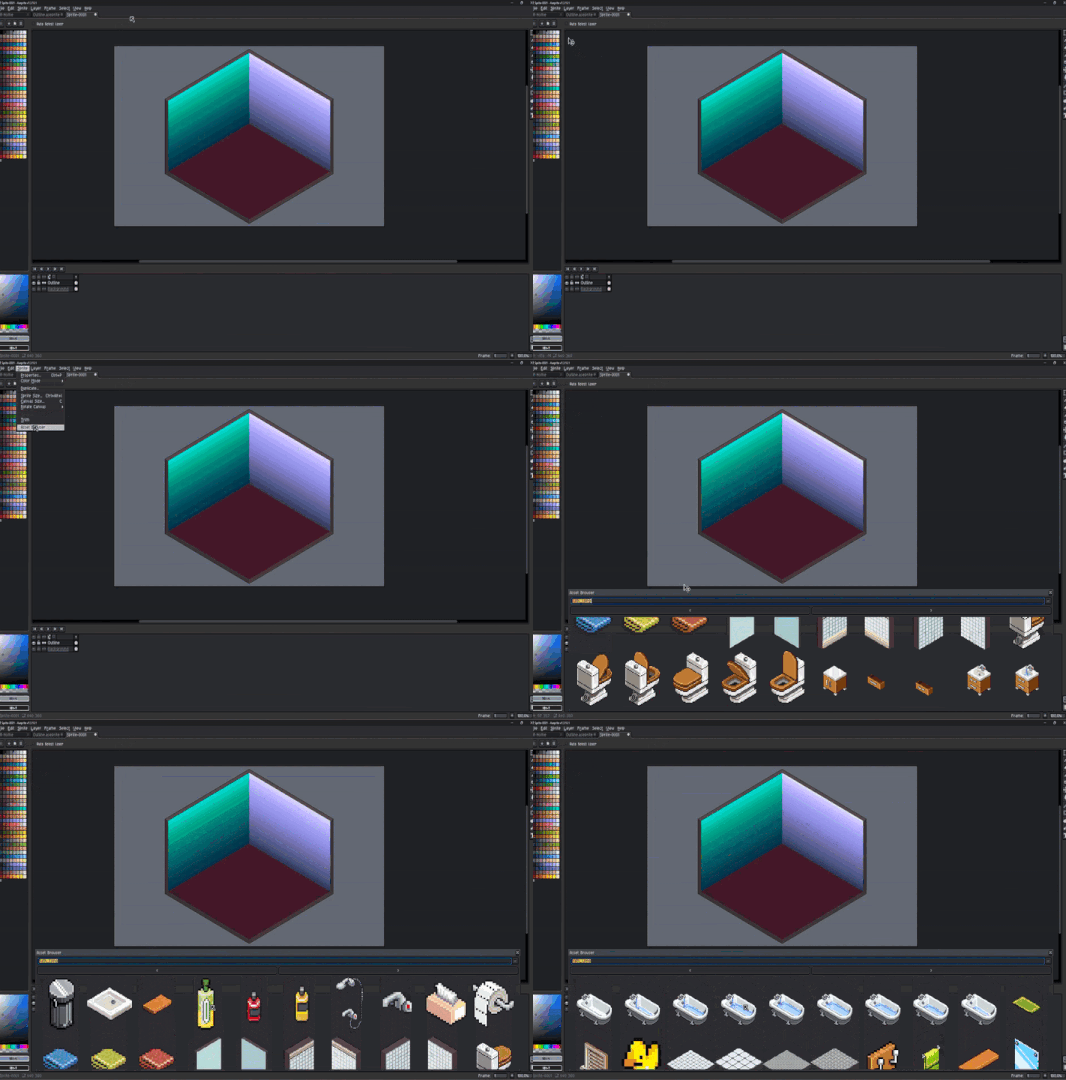
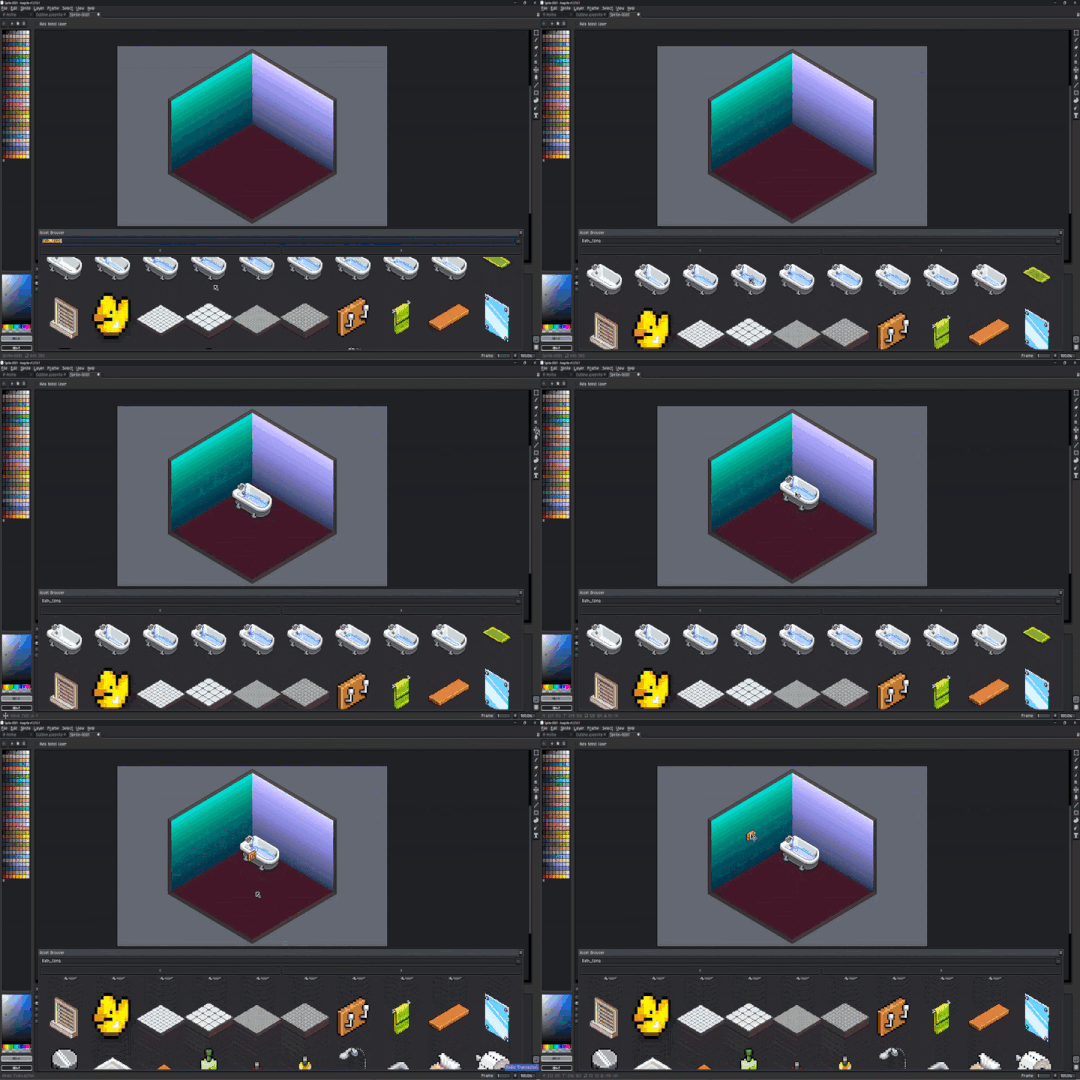
I wanted to simplify that workflow so I made a tool inside of Aseprite that works as an asset browser with correct aspect of the pixels and loads the image into the scene as a new layer.
How to Use:
- Install Extension
- Go to Sprites -> Asset Browser
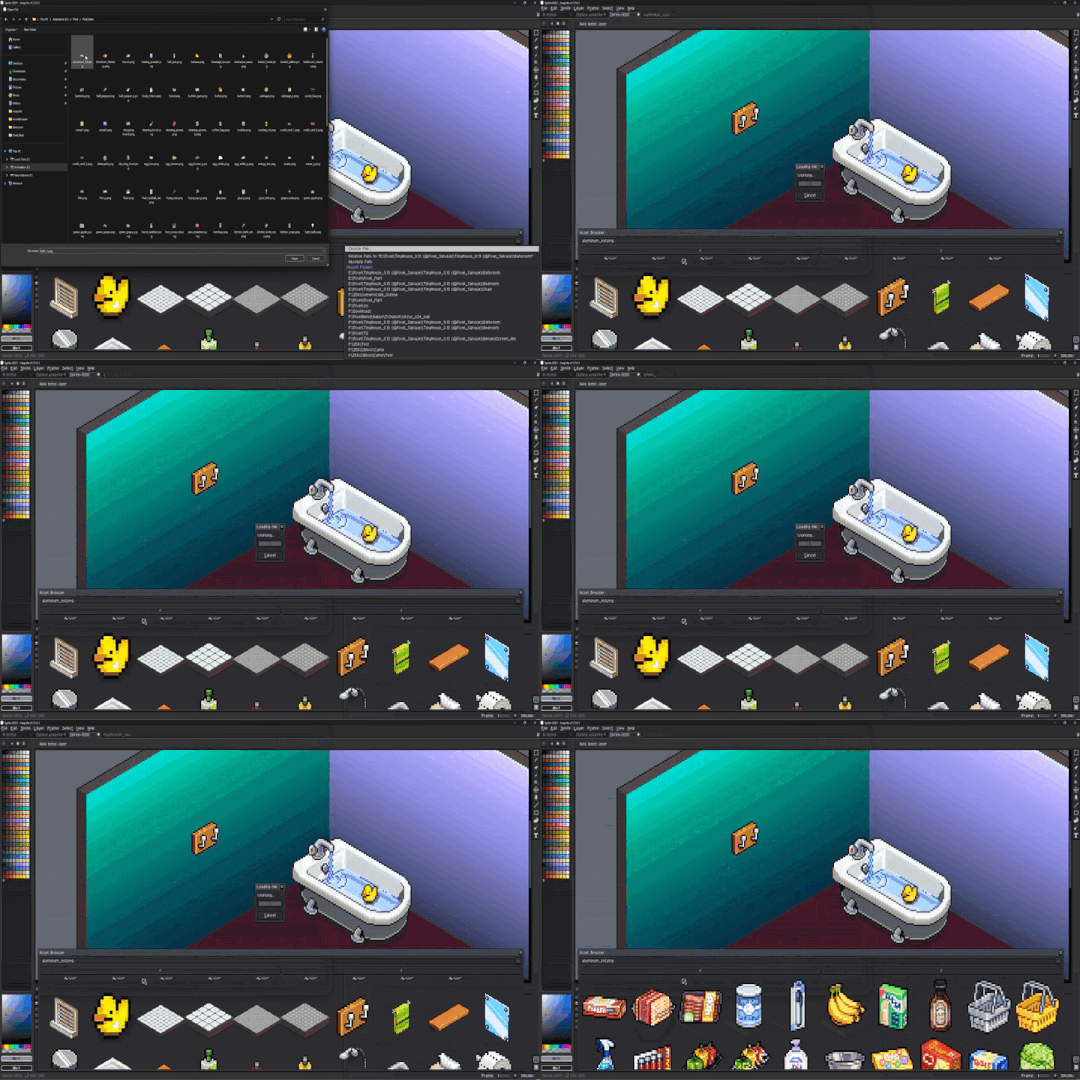
- Click open file dialog button.
- Select any file in the folder you want to open.
- 100 items will be loaded at a time.
- Use the arrow buttons to go to the next set of 100 items.
- Scroll up or down to view icons
- Double-Click on any image to load it into the scene.
Note: Images loaded into Asset Browser need to be 24 or 32bit. An 8 bit Image with palette colors will create a ghosting effect and not accurately represent the loaded image file.
Purchase
In order to download this tool you must purchase it at or above the minimum price of $4.99 USD. You will get access to the following files:
Leave a comment
Log in with itch.io to leave a comment.